


IFTTT - Automate work and home
3.216.28K Reviews
App Specs
- Version
- Varies with Device
- Updated On
- License
- Free
- Downloads
- 10,000,000+
- Developer
- IFTTT, Inc
- Categories
- Productivity
- Platform
- Android, iOS
Screenshots
 Analysis by AppCompare
I judge automation apps by whether they make a routine easier without turning setup into another chore. IFTTT can connect services and devices through small “if this happens, then do that” rules, which makes it useful for removing repeated steps from work and home life. In my view, it is most rewarding when you already know which task you want to simplify; browsing for ideas can help, but it is not a substitute for a clear plan.
That distinction matters for accessibility and everyday usability, too. Automation may reduce the need to repeat taps or remember a routine, but only if the app’s setup and connected services make sense to the person using them. I would approach it as a flexible tool to test gradually, rather than assume every workflow will be effortless for every user.
Choosing a first task that is worth automating
For a first Applet, I would pick something low-risk and easy to check. Saving a social photo to cloud storage, for example, is easier to evaluate than a rule that changes several smart-home settings. Start with one trigger and one result, then see whether the result arrives when expected. This makes it easier to spot whether a problem comes from the rule, the connected service, or simply a mismatch between what you wanted and what the automation does.
A useful test is to ask how often you perform the task and what happens if it is delayed or skipped. Repeating a minor filing step can be a good candidate. Anything time-sensitive or consequential deserves a manual backup until you trust the workflow. Automation can reduce routine effort, but it should not become the only path to information you need urgently.
Where the convenience comes with trade-offs
IFTTT’s broad range of connections is also a reason to be deliberate. A service may change how it behaves, and an Applet that depends on it may no longer fit your routine. If an automation stops doing what you expect, check the trigger and action separately before rebuilding the whole thing. Keeping each rule simple makes it easier to understand what it is meant to do and to decide whether it is still useful.
I would also consider how much of a task I want to hand over. A rule that copies a file or sends a reminder is straightforward to monitor; a chain that affects several accounts or devices can be harder to troubleshoot. For sensitive work, I prefer a workflow that leaves me in control of the final decision rather than one that acts without a check. The best automation is not always the most elaborate one.
Who is likely to get the most from it?
This app makes the most sense for someone who uses several compatible online services or connected devices and can describe a repeated task in a simple trigger-and-action form. A person who wants a photo copied to another place, a routine notification, or a small handoff between work tools may find it worthwhile. It can also suit people who enjoy experimenting and are comfortable checking whether a newly created Applet behaves as intended.
Worth Reading Before You Choose

EA SPORTS FC Mobile 26 Is a Bigger Football Game, but It Takes Time

Flipboard Shows What News Apps Must Do Beyond the Feed

Switching to Android Auto Means Rethinking Your Driving Routine

Google Calendar Makes a Crowded Week Easier to Manage

Ludo King Makes the Most of the Minutes Between Plans

Baby Panda World Brings Quick Play to Modern Phones, but Its Game Library Feels Busy
If you only need to automate a task inside one app, that app’s own settings may be the simpler route. If you need complex business approvals, detailed branching rules, or dependable control over a safety-critical process, I would look for a purpose-built tool instead. IFTTT is strongest as a bridge between supported services, not as a replacement for every dedicated workflow system.
Everyday use, from setup to checking the result
Picture a busy morning: you post a photo, then later need it in a folder you use for a personal project. A simple Applet can take care of that transfer, leaving you free to continue with your day. I would still check the destination folder the first few times, because a successful setup is only useful if the saved item lands where you expect and remains easy to find.
For a household routine, a notification tied to a device or service can be more helpful than trying to automate everything at once. If other people share the home, agree on what a rule should do before relying on it; a change that seems convenient to one person may surprise another. Small, visible automations are easier to explain and undo than a collection of hidden rules.
Reading the interface and finding the right controls
In my experience, the basic idea behind an Applet is easier to follow than the full range of possible connections. The app’s guided setup helps newcomers move from choosing a trigger to choosing an action, while browsing existing Applets can show what other people have made. Still, the names and options of connected services may be less familiar than IFTTT’s own terminology, so I would take time to read each step rather than tap through on autopilot.
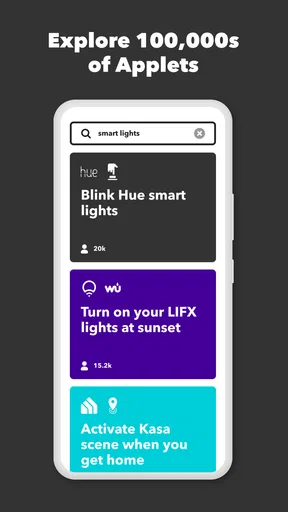
Searching with the task in mind is more practical than browsing broadly. Instead of looking for something vague like “productivity,” describe the outcome you want: copy a particular kind of item, receive a reminder after a specific event, or connect a device to a routine. Before enabling an existing Applet, inspect both ends of it. A familiar title does not guarantee that its trigger and action match your situation.
Different abilities and different settings
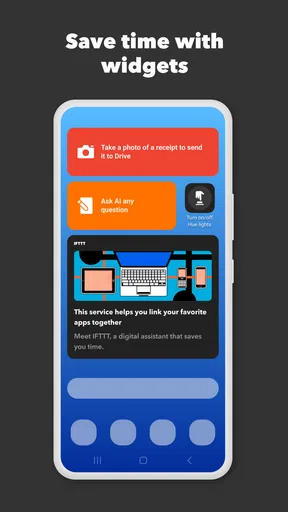
Automation can be valuable for people who find repeated navigation, remembering routine steps, or making the same change across services tiring. A well-chosen Applet may reduce those repetitions. It can also help when someone is away from a device and wants a routine to happen without opening several apps. I would treat that as practical support, not as a guarantee that the whole experience is accessible: each connected service has its own interface and demands.
Motor and sensory needs vary, so I would test the workflow in the conditions where it will actually be used. A person who relies on notifications, for instance, should confirm that the resulting alert is noticeable and understandable in their usual environment. Someone who finds small or busy screens difficult may prefer to create Applets slowly and keep the finished set small. IFTTT can reduce interaction later, but setup itself still involves making choices and reviewing them.
Context changes what counts as convenient. At home, a device-related rule may save a few steps; at work, an automated copy or notification may help keep a routine moving. In a shared space, however, people should know what the rule changes and how to stop or adjust it. When using a phone on the move, I would avoid creating or editing an important automation in a hurry. The time saved afterward is not worth a confusing setup made under pressure.
Cost, expectations, and a sensible trial
IFTTT is a free productivity app from IFTTT, Inc, with in-app purchases ranging from $3.99 to $169.99 per item. I would first decide whether the free experience covers the specific workflow I want, then review the purchase options in the app before relying on a paid capability. The range makes it especially important to check what a purchase is for rather than assume every feature or usage pattern has the same cost.
The app is rated for Everyone and has been available since April 24, 2014. It has an average rating of 3.2 from around 187,000 ratings, with roughly 16,000 written reviews and over 5 million installs. I read that as a sign of a widely tried tool with mixed reactions, not as a verdict on whether a particular Applet will suit you. Its minimum operating-system requirement is version 8.0, so it is worth checking that your device meets it before planning a workflow around the app.
Compared with built-in automation in a phone or a single service, IFTTT’s appeal is its role as a connector across different services and devices. Built-in tools may be more direct when everything happens within one ecosystem, and dedicated business platforms can offer clearer control for complex processes. I would choose IFTTT when the useful part is linking otherwise separate services; I would choose a narrower tool when reliability, detailed conditions, or a single-platform routine matters more than breadth.
What to check before depending on an Applet
Before making an automation part of your routine, I would check three things: whether the trigger reflects the event you actually care about, whether the action reaches the right destination, and what you will do if it does not run. This is especially useful for reminders and file transfers, where a quiet failure can be easy to miss. Keep a manual way to complete the task until you have seen the rule work in ordinary conditions.
It is also reasonable to revisit an Applet when your habits change. A rule that once saved time may create clutter after you stop using a service or change where you keep files. Removing an obsolete automation is part of keeping the system understandable. I would rather maintain a few rules I can explain than accumulate a long list whose purpose I have forgotten.
Ever feel like you’re juggling a million things at once and wish you had a personal assistant? Well, IFTTT might just be the next best thing. This app is like a digital Swiss army knife, helping to automate the little things in life and make your day run a bit smoother. So, buckle up as I take you through my experience with this handy app.
Getting Started with IFTTT
First off, downloading and setting up IFTTT is a breeze. Available on both Android and iOS, you can easily snag it from your app store. Once installed, you’ll need to create an account. Trust me, a few minutes spent here will save you loads of time later.
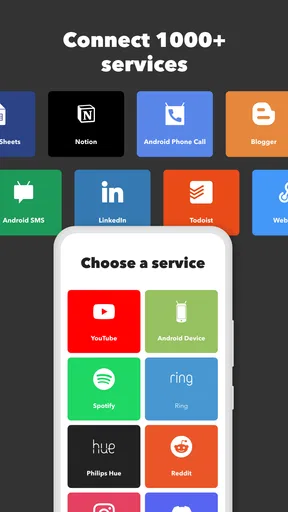
The app’s interface is straightforward and intuitive. It guides you through connecting your favorite services — think Gmail, Instagram, or even your smart home devices. With a few taps, you’re ready to start creating your own "Applets" or use existing ones. No tech wizardry required!
How IFTTT Works Its Magic
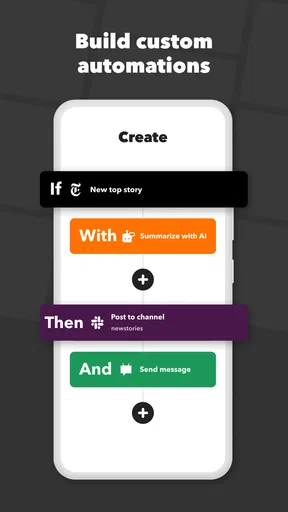
So, what exactly can this app do for you? IFTTT stands for "If This Then That," and it’s all about creating simple conditional statements called Applets. These Applets link your apps and devices together to perform tasks you define. It’s like having your own mini-coder without needing a computer science degree.
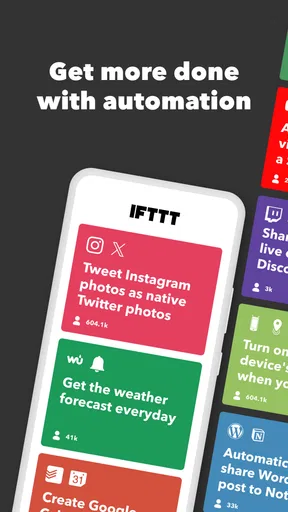
For instance, I set up an Applet to automatically save my Instagram photos to Google Drive. Easy peasy! You can get really creative here — automate your lights to turn on at sunset, sync your to-do lists, or even get a daily weather forecast texted to you every morning. The possibilities are almost endless.
Exploring the Possibilities
One thing I love about IFTTT is its sheer versatility. It supports a ton of services, and the community is constantly adding new Applets. Whether you want to boost productivity, manage your smart home, or just have a bit of fun, there’s something here for everyone.
Imagine getting a notification when the International Space Station is overhead. Yep, that’s a thing you can do.
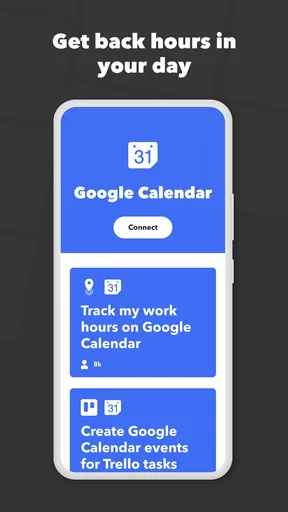
I personally found the Applets related to productivity super useful. From syncing my calendar events across platforms to automatically backing up important emails, it’s like having a personal assistant iron out the mundane tasks.
Ease of Use and Flexibility
Now, you might be wondering, “Is it really as easy as it sounds?” The answer is a resounding yes! The app’s design makes it simple to search for Applets that suit your needs or even create your own from scratch. The community aspect is also a big plus, as you can browse through Applets created by other users.
Another standout feature is the app’s flexibility. Whether you want to automate tasks at home or at work, IFTTT has got you covered. Plus, the integration with smart devices means you can control your home environment, even when you’re not there. Pretty slick, right?
Final Thoughts
In a world where time is of the essence, IFTTT is a game-changer. It’s a powerful tool for streamlining tasks and simplifying your digital life. While it might take a little trial and error to perfect your Applets, the end result is worth it. You’ll wonder how you ever managed without it.
So, if you’re looking to automate the small stuff and reclaim some precious time, give IFTTT a whirl. It’s like having a little slice of the future right in your pocket.
Pros
- Easy integration with many services.
- User-friendly interface for beginners.
- Offers extensive automation possibilities.
- Regular updates with new features.
- Supports both Android and iOS platforms.
Cons
- Some applets may require subscriptions.
- Occasional delays in triggering actions.
- Limited offline functionality.
- Can be overwhelming for new users.
- Certain features need technical know-how.
FAQs for IFTTT - Automate work and home
What is IFTTT and how does it work?
IFTTT, which stands for "If This Then That," is an automation tool that connects different apps and devices, allowing them to work together seamlessly. By setting up "applets," users can create workflows that trigger certain actions based on specific conditions. For example, you could automate posting Instagram photos to Twitter or turning off smart lights when you leave home.
Is IFTTT free to use, or are there any subscription costs?
IFTTT offers a free version that provides access to basic applets and limited service connections. However, for advanced features, such as creating unlimited applets or accessing premium services, users may need to subscribe to IFTTT Pro, which requires a monthly fee. This subscription enhances functionality and provides more flexibility.
What types of devices and services are compatible with IFTTT?
IFTTT supports a wide range of devices and services, including smart home devices like Philips Hue and Nest, social media platforms like Twitter and Instagram, and productivity tools like Google Calendar and Dropbox. The app continuously updates its integrations, so it's advisable to check the latest supported services on their website or app.
How secure is IFTTT in terms of user data and privacy?
IFTTT takes user privacy and data security seriously. The platform uses industry-standard security practices to protect user data. Users have control over their applets and can manage permissions for each connected service. However, it's crucial to review the privacy policies of individual services connected to IFTTT, as they may have different data handling practices.
Can IFTTT be used on both Android and iOS devices?
Yes, IFTTT is available on both Android and iOS platforms, providing a consistent user experience across devices. Users can easily download the app from the Google Play Store or Apple App Store. Once installed, the app allows users to create and manage applets seamlessly, regardless of their preferred operating system.


